
Last updated on September 6th, 2026 at 11:22 am
Learn how to scale your WooCommerce store without relying on manual edits that take all of your time and open the door for errors and mistakes.
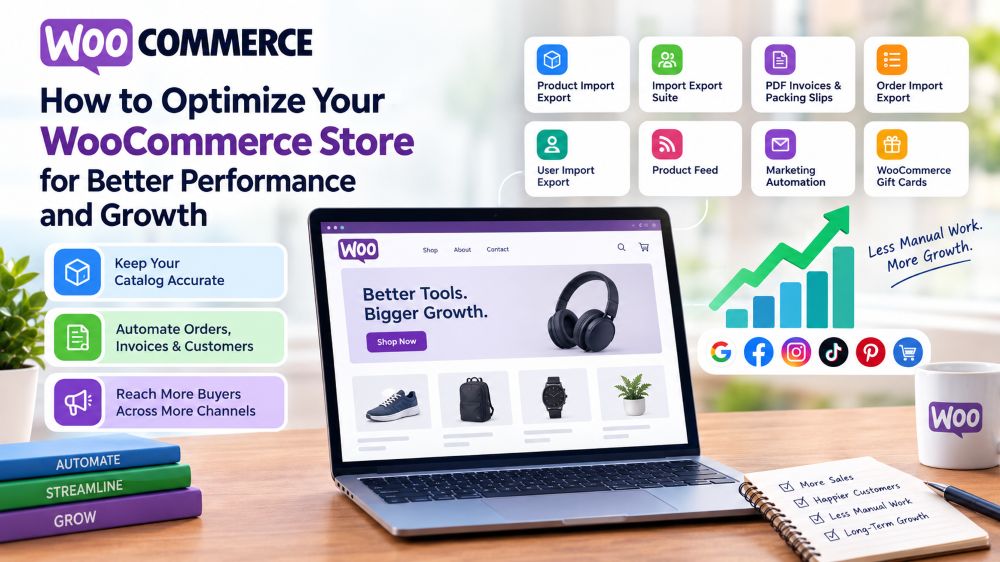
Image Source: Generated by AI
This post is a guest submission. Please see our Affiliate Disclosure & Notification for details.
This post may contain affiliate links. We may earn a commission if you purchase an item through our links. It costs you nothing and helps us to fund this blog. Please see our Affiliate Disclosure & Notification for details.
How to Optimize Your WooCommerce Store for Better Performance and Growth
Most stores don’t lose performance to one dramatic failure. It happens in small increments: a five-minute product edit that turns into an afternoon because five hundred other SKUs need the same change, an order confirmation email that goes out looking unfinished, a customer record that only exists in one place and nowhere else. None of that shows up on a traffic report, but it adds up to a store that can’t grow any faster than the person running it can manually keep up with.
That’s the part most performance advice skips. Optimizing a WooCommerce store isn’t only about page speed or hosting, it’s about how much manual work still sits between a decision and it actually happening. WebToffee’s import, export, and automation plugins exist specifically to close that gap, handling catalog updates, order records, invoicing, and multi-channel reach without needing a developer on standby. Most of them ship a free version, so testing one doesn’t require committing to anything yet.
This guide covers three areas that tend to cap growth the fastest once a store starts scaling: keeping the product catalog accurate without manual edits, keeping order and customer records reliable, and reaching new buyers across more channels than a single storefront allows. Optimize a WooCommerce store across all three, and growth stops being limited by how much one person can keep up with by hand.
Fixing the Backend Before Chasing More Traffic
Sending more visitors to a store with an outdated catalog just means more people seeing the wrong price or a product marked in stock that sold out last week. WooCommerce Product Import Export plugin updates the whole catalog at once through a CSV, XML, Excel, or TSV file, so prices, stock counts, and descriptions get corrected in one pass instead of product by product. It also makes it straightforward to import products with images in bulk, which matters most during a migration or when a supplier hands over a fresh product list that needs to go live quickly. A free version covers the basics if you want to see how the workflow fits before upgrading.
Once catalog updates stop eating up someone’s afternoon, the same logic extends naturally to orders, coupons, and customers. Import Export Suite for WooCommerce manages all of that from one place across CSV, XML, TSV, or Excel, which becomes genuinely useful once migrations, bulk edits, or scheduled backups are a regular part of running the store rather than an occasional emergency.
Making Order and Customer Records Something You Can Trust
A store growing in volume needs its records to keep up without quietly falling apart. The first thing customers actually see after checking out is a confirmation email, and whatever’s attached to it says something about how carefully the rest of the store is run. PDF invoices & Packing Slips for WooCommerce generates a branded invoice automatically for every order and attaches it to that email, instead of leaving customers with a plain text summary. A free version handles basic invoice and packing slip generation if that’s all a store needs for now.
Order history piles up fast once volume increases, and exporting it by hand stops being realistic well before most stores notice. Order Import Export for WooCommerce moves order data in bulk through CSV or XML, which speeds up backups, migrations, and bulk status updates that would otherwise take an entire afternoon. A free version is available for the basics.
Customer records deserve the same attention, particularly for stores running loyalty programs or managing more than one property. User Import Export for WooCommerce transfers customer and user profile data in bulk between WordPress or WooCommerce sites, which comes up most during account migrations or when two stores need to stay consistent with each other. A free version covers basic import and export needs as well.
Turning Existing Traffic Into More Revenue
Performance improvements only matter if they translate into growth, and growth usually means reaching buyers somewhere beyond a single storefront. Product Feed for WooCommerce turns a catalog into ready-to-use feeds for Google Shopping, Facebook, Instagram, TikTok, and Pinterest, pulling titles, prices, and stock automatically instead of requiring separate manual entry for each channel. Running ads against a feed with missing or malformed fields is one of the fastest ways to burn through a budget without much to show for it, which is exactly why catalog accuracy has to come before the ad spend, not after. A free version is available on WordPress.org for testing a channel or two first.
Reach only helps if the buyers it brings in come back. The Marketing Automation for eCommerce app runs behavior-based email and popup workflows in the background, following up automatically based on what a shopper already viewed or bought, all through a drag-and-drop builder that doesn’t need developer time to maintain. A free version on WordPress.org covers basic popups and email styling before the full automation layer is worth adding.
WooCommerce Gift Cards works in both directions at once. A customer buying a card for someone else introduces the store to a new shopper at no acquisition cost, and recipients typically spend past the card’s actual balance once they start browsing, which quietly lifts average order value on top of everything else. A free version covers the core setup if the goal for now is just testing demand.
These three areas also reinforce each other in a way that’s easy to miss when each plugin is evaluated on its own. A catalog kept accurate through automated imports feeds cleaner data into the product feeds running your ads, which means less wasted spend on listings that were already wrong before the campaign started. Cleaner order and customer records make it easier to trust the segments an email automation tool builds its follow-ups around, instead of guessing at who actually bought what. None of these plugins were designed as a single connected system, but used together, each one removes friction the others would otherwise have to work around.
Performance and Growth Are the Same Problem
None of this requires rebuilding a store from scratch. Automating catalog updates, keeping invoices and order records clean, and publishing an accurate feed all run on top of what’s already there, and each one removes a specific piece of manual work that would otherwise cap how fast the store can scale. Optimize a WooCommerce store this way, and growth stops depending on how many extra hours someone can find in a week.
Most plugins covered here have a free tier worth starting with — the Import Export Suite is the exception, sold as a premium-only bundle. The Pro versions add more file formats, scheduled automation, and higher volume limits, so upgrading only happens once a store has already confirmed the workflow is solving something real.
A few gaps sit just outside what’s covered here and are worth a look once the basics above are in place. Stores selling into the EU should check the EU Withdrawal Button for WooCommerce, a free plugin built specifically for the EU’s Right of Withdrawal Directive. And for stores running both WooCommerce and Shopify, StoreRobo keeps product, order, and customer data moving between the two without duplicate manual entry on either side.

I'm a freelance writer from Israel. I like to write about just about anything. English is my 2nd language so please forgive me if my writing isn't perfect.
Subscribe to Our Mailing List
If you found the information in this post helpful, we'd love to have you join our mailing list. We promise we won't spam you, we only send out emails once a month or less.